Wireframe vs Prototype vs Mockup: Differences & Examples
Key Takeaways
Wireframes, mockups, and prototypes each serve a distinct role: wireframes map structure, mockups nail the visual design, and prototypes bring interactivity to life.
You don't always need all three; the right choice depends on your project stage, feedback goals, and team workflow.
Fidelity is the key variable; understanding low vs. high fidelity across these three formats changes how you plan and present your design work.
Rabbit Product Design applies the same structured progression to physical product development: building prototypes with real manufacturing materials, not 3D prints, so every product is developed for manufacturability and market success, not just presentations.
Wireframe, Mockup, or Prototype: Here's What Actually Matters
Most design teams have lost time arguing over whether to build a mockup or jump straight to a prototype, and the confusion almost always comes from blurring the distinction between what each deliverable is actually for.
Wireframes, mockups, and prototypes are not interchangeable. Each one answers a different question at a different stage of the design process. A wireframe asks, “What goes where?” A mockup asks, “What does it look like?” A prototype asks, “How does it work?” Getting clear on those distinctions is what separates efficient design teams from ones that constantly backtrack.
For designers looking to sharpen their process and build smarter workflows, this article offers practical guidance that bridges the gap between concept and execution.
What is a Wireframe?
A wireframe is a low-fidelity, skeletal blueprint of a digital product. Think of it as the architectural floor plan before anyone picks paint colors or furniture. It strips away all visual design; no colors, no typography choices, no images, and focuses purely on layout, structure, and content hierarchy. Boxes represent images, lines represent text, and rough shapes define where navigation, buttons, and content blocks will live.
The power of a wireframe is in its speed. Because there is no visual polish to get attached to, teams can move quickly, test multiple layout ideas, and pivot without feeling like they are throwing away hours of detailed design work.
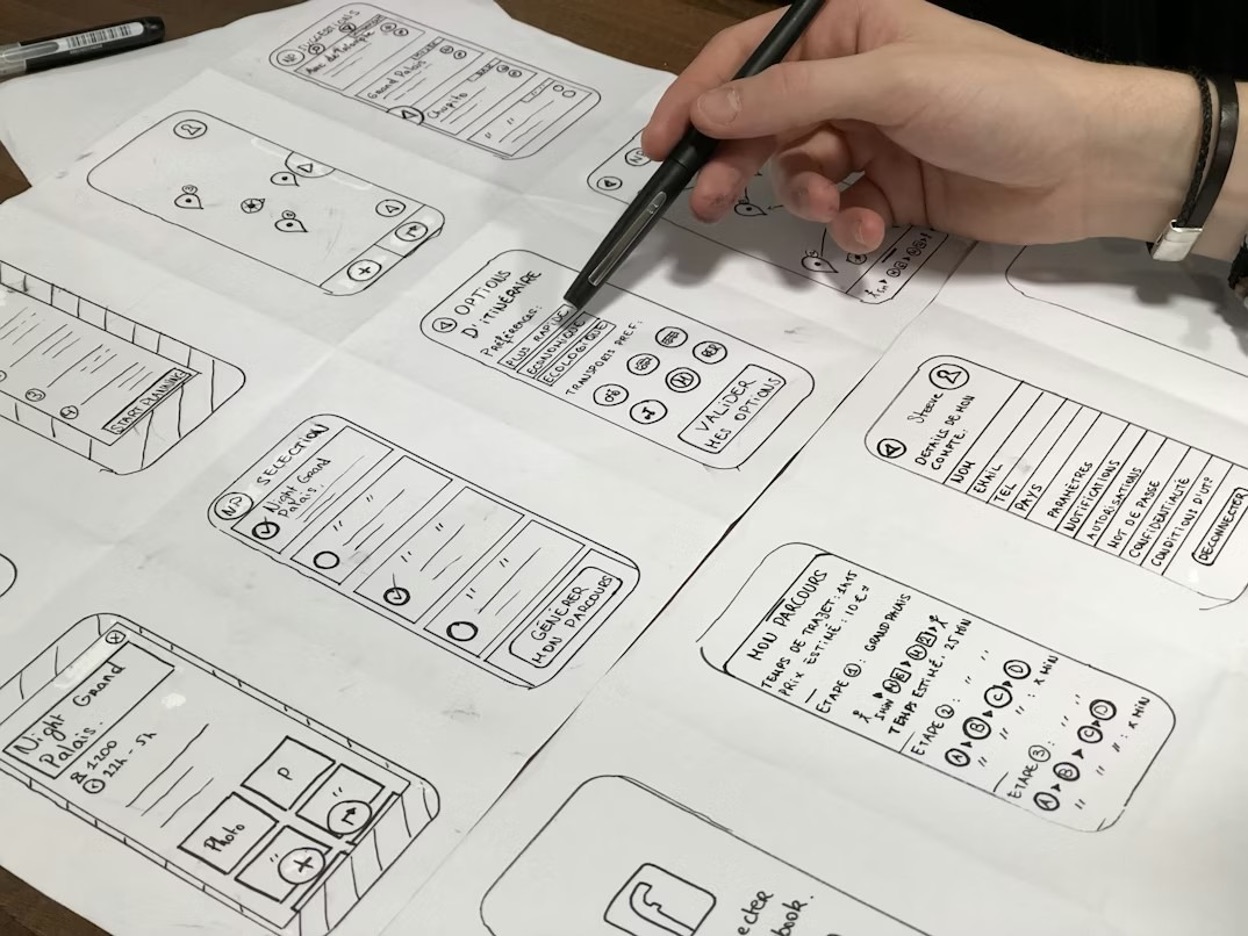
Wireframes are typically grayscale or black-and-white blueprints that focus on content placement and user flow, not aesthetics
The Role of Low-Fidelity in Early Design
Low-fidelity design is intentionally rough. That roughness is a feature, not a limitation. When a wireframe looks unfinished, it signals to reviewers that the design is still open to change, which encourages more candid, big-picture feedback rather than nitpicky comments about button colors or font sizes.
Early in a product’s lifecycle, the most dangerous thing a team can do is invest heavily in high-fidelity visuals before validating the core structure. Low-fidelity wireframes keep the conversation focused on what matters most at that stage: does the layout make sense, does the user flow work, and does the content hierarchy reflect actual user needs?
What a Wireframe Includes (and What It Doesn't)
A wireframe typically includes placeholders for navigation menus, content areas, CTAs, forms, and image blocks. What it deliberately leaves out is just as important; final typography, brand colors, real photography, and any form of interactivity are all absent. This keeps the focus tight and the feedback productive.
What is a Mockup?
A mockup takes the structural skeleton of a wireframe and layers on real design decisions; actual brand colors, chosen typefaces, icons, imagery, spacing, and UI components. A mockup looks like a finished product but cannot be clicked or interacted with in any meaningful way.
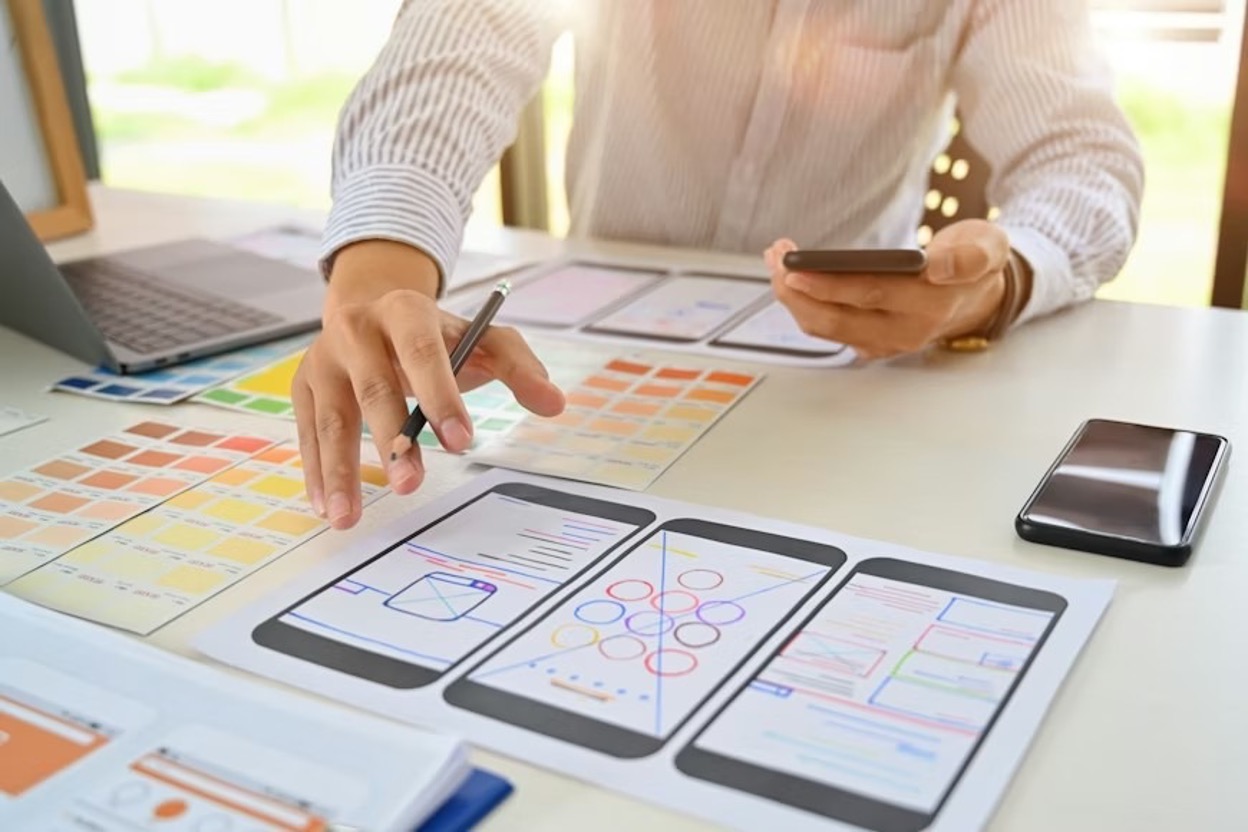
A mockup is a high-fidelity, static representation of what a finished product will look like visually.
How Mockups Differ From Wireframes
The leap from wireframe to mockup is essentially the leap from structure to style. Where a wireframe uses gray boxes and placeholder text, a mockup uses a real hero image, the brand’s exact color palette, and the selected font hierarchy. A stakeholder looking at a mockup should be able to visualize almost exactly what the finished product will look like; they just cannot interact with it yet.
Visual Elements That Make a Mockup High-Fidelity
High-fidelity mockups typically incorporate real or near-final versions of key visual assets. This includes the full color scheme, typographic scale (heading sizes, body copy, captions), button styles, iconography, spacing systems, and any UI patterns like cards, modals, or navigation bars. Tools like Figma and Sketch are the industry standard for producing mockups at this level of detail.
Mockups are the deliverable of choice when presenting design concepts to clients or stakeholders who need to sign off on the visual direction before development begins. They are detailed enough to feel real but static enough to produce quickly without writing a single line of code.
What is a Prototype?
A prototype takes the visual detail of a mockup and adds clickable elements, screen transitions, animations, and simulated user flows. A prototype is the closest thing to a real product without actually being one, and it is the only deliverable of the three that lets you experience how a product feels to use beyond how it looks.
A prototype is an interactive, functional simulation of a digital product.
Why Interactivity Changes Everything
Static design can only tell you so much. A wireframe can map out a checkout flow perfectly on paper, and a mockup can make it look beautiful, but neither one will reveal that users instinctively tap the wrong button, or that a three-step form feels like six steps when you actually move through it.
Prototypes allow for real usability testing with real users. Instead of asking someone to imagine clicking through a flow, you hand them a prototype and watch what they actually do. The behavioral data you collect from prototype testing is far more reliable than any assumption baked into a static wireframe or mockup.
Low-Fidelity vs. High-Fidelity Prototypes
Not all prototypes are created equal. A low-fidelity prototype might be a series of linked wireframe screens that simulate basic navigation, no visual polish, just clickable hotspots that move a user from one screen to the next.
A high-fidelity prototype, on the other hand, looks and behaves almost identically to the finished product, complete with animations, real content, and detailed micro-interactions. The right fidelity level depends entirely on what you are trying to test and how far along you are in the design process.
Wireframe vs. Mockup vs. Prototype: Differences At A Glance
Real-World Examples of Each Deliverable
The fastest way to make these concepts stick is to walk through a single product idea across all three stages. Take a travel booking app, specifically the flight search screen, as an example.
The same screen can look and behave completely differently depending on which deliverable you are producing, and understanding that shift is what sharpens your instincts as a designer.
Travel App Wireframe Example
At the wireframe stage, the flight search screen is a simple grid of rectangles and text placeholders. A horizontal bar represents the search input, small boxes indicate filter options, and stacked rectangles represent flight result cards with placeholder text for airline, time, and price. No color, typography, or imagery, just structural logic on a white canvas.
This is where designers resolve layout questions: filters above or below the search bar? How many results are above the fold? Price on the left or right? These decisions cost nothing to change now, but become expensive to revise in development.
Travel App Mockup Example
The mockup visually transforms the same screen. The search bar uses the app's navy brand color, filter chips feature rounded corners with a teal accent when selected, and each flight card displays a real airline logo, the chosen typeface, and bold pricing. Spacing follows an 8-point grid system.
A stakeholder can now evaluate whether the visual direction aligns with the brand and whether the information hierarchy feels right. This is the deliverable that gets sign-off, not the wireframe or the prototype.
Travel App Prototype Example
The prototype brings the design to life. Tapping the search bar animates a keyboard, typing a city populates an autocomplete dropdown, and toggling a filter chip reorders the results with a smooth transition. All this can be built in Figma using interactive components and smart animate, no developer required.
This is the stage where you discover what the wireframe and mockup could never tell you. Maybe users instinctively swipe left on a result card expecting to save it as a favorite, but that gesture was never designed. Maybe the filter chips are too small to tap comfortably on a 5-inch screen.
Maybe the transition between the search screen and the results screen feels jarring rather than fluid. The prototype surfaces every one of these issues before a single sprint of development begins, which is exactly the point.
Wireframe vs Prototype vs Mockup: How Rabbit Product Design Takes Products Beyond the Screen
At Rabbit Product Design, we take structured thinking beyond screens into real-world manufacturing. Our process runs from feasibility to launch, including industrial design, engineering, and production-ready prototyping using real materials, so what we test is what gets built and sold.
Led by Adam Tavin, with decades of experience and 2,000+ prototypes, we focus on delivering fully manufactured products supported by strong branding and real sales strategies.
Start Your Product Journey Today →
Frequently Asked Questions (FAQs)
Do I need to create a wireframe, prototype, and mockup for every project?
No. A small feature update might only need a wireframe and prototype. A full product launch with multiple stakeholders often benefits from all three. Use whichever combination answers your team's specific questions at each phase.
Which design tools are most commonly used for each deliverable?
For wireframes: Balsamiq, Figma, Whimsical, or pen-and-paper. For mockups: Figma or Sketch. For prototypes: Figma's built-in prototyping features handle most needs, while Axure RP is better suited for complex, logic-driven interactions.
Can a high-fidelity prototype replace a mockup?
Often, yes, a high-fidelity prototype contains full visual design plus interactivity. However, prototypes take longer to build. If your team needs a distinct visual sign-off before investing in interaction design, a separate mockup phase is more efficient. When visual approval and usability testing happen simultaneously, skipping to a prototype makes sense.
How does Rabbit Product Design apply these design principles to physical products?
Rabbit Product Design follows a structured progression similar to wireframe-to-prototype, but for manufactured products. We move from feasibility through industrial design, engineering, production-ready prototyping with real manufacturing materials, branding, and launch planning.
We don't use 3D-printed prototypes that create false confidence; we build with the same materials your manufacturer will use, ensuring what you test is what you'll produce and sell at scale.
*Disclaimer: This content is for educational purposes only and not financial, legal, or business advice. Figures vary by circumstance. Consult qualified professionals before making decisions. For personalized guidance, contact Rabbit Product Design.