Mechanical Prototype Design: Types, Examples & Software
Key Takeaways
Mechanical prototype design falls into four main categories: proof of concept, form study, functional, and pre-production, and each serves a distinct purpose in the product development lifecycle.
Modern CAD and simulation tools like SolidWorks, Fusion 360, and ANSYS have revolutionized prototyping, making it faster and more accurate than traditional methods.
Pre-production mechanical prototypes serve as the final verification before manufacturing commitments, often revealing critical issues that weren't apparent in earlier prototype stages.
Rabbit Product Design creates production-ready prototypes using real materials and processes, ensuring your mechanical design can actually be manufactured at scale and sold as a real product.
Why Mechanical Prototype Design Can Make or Break Your Product
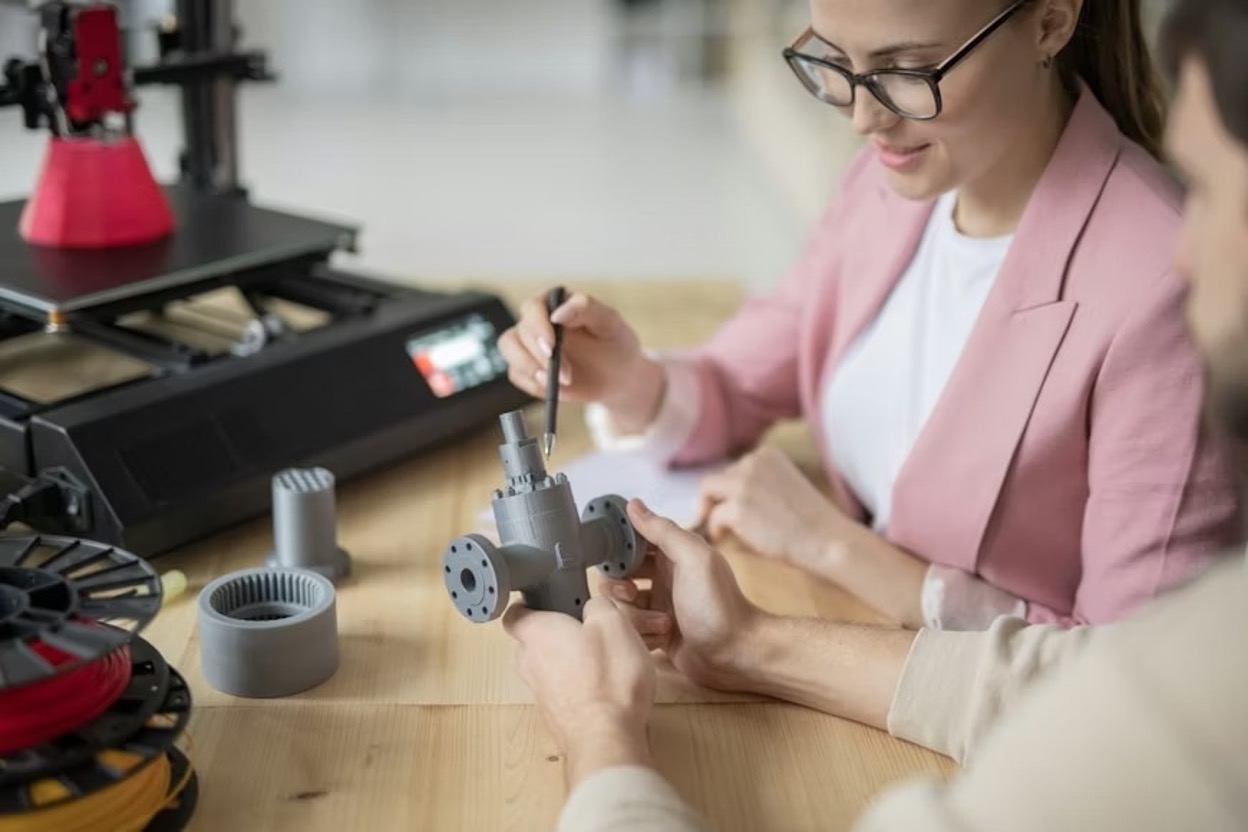
Mechanical prototype design creates a physical version of your concept to prove that it can work in real-world conditions. It closes the gap between digital models and manufacturing by identifying issues that 3D designs often miss, helping teams refine functionality, durability, and overall feasibility early on.
It also provides stakeholders with a tangible model to evaluate, making it easier to secure approval and gather meaningful user feedback. This early insight often prevents costly design mistakes and ensures the final product aligns with real customer needs.
4 Types of Mechanical Prototype Designs You Should Know
Not all prototypes serve the same purpose. Each type addresses specific questions at different stages of the development process. Understanding these distinctions helps engineers choose the right prototyping approach.

Different prototypes answer different questions at each stage of development, helping engineers choose the right approach.
Proof-of-Concept Prototypes: Testing Core Functionality
Proof-of-concept (POC) prototypes answer one crucial question: "Will this work?" These early-stage prototypes validate the core functionality of your design without worrying about appearance, ergonomics, or manufacturability.
They're often rough, using off-the-shelf parts or even materials that differ from those used in the final product.
Form Study Prototypes: Nailing the Look & Feel
Form study prototypes shift focus from function to physical characteristics, addressing questions of size, shape, weight, and user interaction. These models may not function mechanically, but they enable designers to evaluate ergonomics, aesthetics, and spatial constraints.
For complex products, form studies often employ computer numerical control (CNC) machining, urethane casting, or other production-representative methods to create accurate physical representations that stakeholders can handle and evaluate. While some firms use 3D printing for form studies, this approach can mask real-world constraints and material behaviors that will impact the final product.
Form studies are particularly valuable for products where user interaction is crucial. A perfectly functional device with poor ergonomics will struggle in the marketplace, underscoring the importance of this stage for consumer-facing products.
Functional Prototypes: Creating Working Models
Functional prototypes combine the insights from both proof-of-concept and form study phases to create working models that closely resemble the final product. These prototypes incorporate actual mechanisms, electronics, and materials similar to what will be used in production.
While you may still use some off-the-shelf components or simplified manufacturing techniques, functional prototypes should demonstrate all key features and capabilities of the intended product.
Pre-Production Prototypes: The Final Test Before Manufacturing
Pre-production prototypes are the final validation before committing to tooling and manufacturing setup. These models should be virtually identical to the intended production units, using the same materials, components, and assembly methods planned for mass production.
The primary goal is to verify that the design can be manufactured efficiently while meeting all functional and quality requirements. This stage often involves creating a small batch of units (sometimes called pilot production) to test the entire manufacturing process. Engineers analyze these units for consistency, identifying any variations that might occur during production.
They also verify that tolerances can be maintained, assembly procedures are clear, and quality control measures are effective. Companies that rush through or skip this phase often face manufacturing delays, quality issues, or higher-than-expected production costs. The investment in thorough pre-production prototyping typically pays for itself many times over once full production begins.
Real-World Mechanical Prototype Examples That Transformed Products
James Dyson's development of cyclonic separation technology perfectly illustrates the value of persistent prototyping. After noticing how dust clogged conventional vacuum bags, Dyson created more than 5,000 prototypes over five years before perfecting its design.
His early proof-of-concept models used cardboard and duct tape to validate the cyclonic separation principle, while later functional prototypes tested different cyclone configurations, airflow paths, and motor specifications to maximize efficiency while minimizing noise and energy consumption.
Top Software Tools That Revolutionize Mechanical Prototyping
CAD Software: SolidWorks, Fusion 360, & OnShape
Computer-Aided Design (CAD) software forms the foundation of modern mechanical prototyping. Tools like SolidWorks offer comprehensive feature sets for creating detailed 3D models with precise dimensions and material specifications.
Fusion 360 has gained popularity for its cloud-based collaboration features and integrated CAM capabilities, making it ideal for teams working across multiple locations. OnShape, as a fully cloud-based platform, provides unprecedented accessibility and version control for complex mechanical designs.
These platforms go far beyond simple drawing tools, offering parametric modeling that allows designers to adjust dimensions and see changes propagate throughout the entire assembly.
Simulation Tools: ANSYS, Abaqus, & SimScale
Simulation software enables engineers to subject virtual prototypes to a wide range of tests without building physical models. ANSYS offers comprehensive mechanical, thermal, and fluid dynamics analysis capabilities that can predict how designs will perform under various conditions.
Abaqus specializes in advanced structural analysis, including complex material behaviors and contact interactions. SimScale brings powerful simulation capabilities to the cloud, making high-performance computing accessible without expensive hardware investments.
These tools can identify potential failures before they appear in physical prototypes, saving both time and materials. For example, finite element analysis can predict stress concentrations that might lead to part failures, while computational fluid dynamics can optimize flow paths in pneumatic or hydraulic systems.
Thermal simulations can identify potential overheating issues, and motion analysis can verify that moving parts operate as intended and are free of interference.
FRAMES & Other Specialized Design Software
Beyond general CAD and simulation tools, specialized software addresses specific mechanical design challenges. FRAMES and similar structural analysis tools focus on optimizing framework designs for weight, strength, and manufacturability.
These applications are particularly valuable for aerospace, automotive, and industrial equipment, where structural efficiency is paramount. Other specialized tools include PCB design software with mechanical integration capabilities, pneumatic and hydraulic system simulators, and gear design optimizers.
Each of these tools addresses particular aspects of mechanical systems that general CAD platforms might not handle optimally. By combining general-purpose and specialized tools, engineers can create comprehensive virtual prototypes that account for all aspects of the design.
Mechanical Prototyping Software Tools: Summary Table
How Rabbit Product Design Delivers Production-Ready Mechanical Prototypes
At Rabbit Product Design, we’ve seen countless products fail during the transition from prototype to production because teams relied on 3D-printed parts that masked real-world manufacturability issues. Our approach is different.
We also reject the patent-first approach that derails many inventors. Patents are expensive, slow, and rarely successful without a real product and business behind them. While patent research has value, we focus on building products that work in the real world, not just on paper.
We build prototypes using production materials and processes, so what you test is what you can actually manufacture and sell. Our structured development process covers feasibility, concept development, industrial design, mechanical engineering, production-ready prototyping, manufacturing setup, branding, and launch planning.
If you're ready to move beyond concept validation to real production, schedule a free consultation with Rabbit Product Design to discuss your mechanical design project.
Our senior engineers have 27+ years of experience and deep expertise in CAD tools, FEA analysis, tolerance stacks, and DFM optimization. We will ensure your mechanical design is built for production from the start. The goal isn't just a working prototype. It's a manufacturable product that succeeds in the market.
Start Your Product Journey Today→
Frequently Asked Questions (FAQs)
What are the four main types of mechanical prototypes?
The four types of mechanical prototypes are proof-of-concept (validates core functionality), form study (tests ergonomics and aesthetics), functional (demonstrates working capabilities with near-final materials), and pre-production (verifies manufacturability using production methods). Each serves a specific purpose at different stages of development, and complex products typically progress through all four phases.
How many prototype iterations should I expect?
Most successful products undergo 3–7 major iterations before production readiness, though this varies by complexity. Simple mechanical devices may require 2–3 iterations, while complex systems with multiple subsystems often require 10+ iterations. The key is making each iteration purposeful, addressing specific issues rather than trying to solve everything at once.
What software tools are essential for mechanical prototype design?
CAD software such as SolidWorks, Fusion 360, or OnShape provides the foundation for creating detailed 3D models. Simulation tools such as ANSYS and Abaqus enable virtual stress testing, thermal analysis, and motion simulation before building physical prototypes. Combining these tools with physical testing provides the most comprehensive validation.
Should I outsource prototyping or build capabilities in-house?
This depends on complexity, timeline, and the frequency of prototyping. Many companies adopt a hybrid approach: maintaining basic in-house capabilities for rapid iteration while partnering with specialists for advanced processes such as precision CNC machining or injection molding. The key is to control critical design elements while accessing specialized expertise as needed.
How does Rabbit Product Design approach mechanical prototyping differently?
Rabbit Product Design builds production-ready prototypes using actual manufacturing materials rather than relying on 3D prints that hide real-world constraints. This approach exposes tolerance stacks, assembly challenges, and material behavior during testing, not during production. Mechanical engineering is integrated into a structured process covering feasibility through manufacturing setup, ensuring prototypes translate directly into products that can be manufactured and sold.
*Disclaimer: This content is for educational purposes only and not financial, legal, or business advice. Figures vary by circumstance. Consult qualified professionals before making decisions. For personalized guidance, contact Rabbit Product Design.